

x
Last Update : sep 2026
x
Index
x
LESSEN MSFS2020 en 2024 INFORMATIE
x
Hier vindt u de LESSEN die speciaal voor de Microsoft Flight Simulator gelden
x
LETOP !
Een volledige RODE REGEL geeft aan dat de PAGINA verwijzing naar een “NIET BEVEILIGDE PAGINA” leidt.
x

BEST FREEWARE SOFTWARE
FOR MSFS2020/24
LESSEN INDEX
DOCUMENTS & T!PS
DOCUMENTS & T!PS [ TOP-DOWN ]
x
DOC
xce

x
x
x
Keyboard LAYOUT’s – Kies uw favoriete – Take your favorite choice
Flightsim.to – Customizable Keyboard Layout with Default Commands
x
Flightsim.to – Complete Control List & Default Assignments
x
Flightsim.to – Keyboard, Mouse & Controls bindings
x
x
x

x

x
x
x
x
Systeemeisen bekend voor MSFS2024
x
MSFS2024 Voordelen
x
MSFS2024 Nadelen
x
x
x
x


Key [N] = Toggle NAVLOG scherm – TIMER Start – Pause – Stop – Reset
Key [WINDOW] + [G] = Toont FrameRate FPS – Shows Framerate FPS
T&T 0117 – UITZETTEN Tekst-Spraak-Stem – DISABLE Text-Speech-Voice
T&T 0116 – HELP, mijn MSFS wil niet echt SLUITEN na afsluiten programma.
PDF – Comming Soon – Callsign Change
PDF – Comming Soon – Delete wrong changes in the Yoke
YOU
X
YOUTUBE
x
By SQUIRREL
X

YOUTUBE [ A-Z ]
x
BEGINNERS
MICROSOFT FLIGHT SIMULATOR TUTORIALS
Beginners #1 – Getting Started
Beginners #2 – Peripheral Control Setup
Beginners #3 – Camera Setup
Beginners #4 – Your First Flight
Beginners #5 – Find ANY House
Beginners #6 – Stable Flight
Beginners #7 – Flaps
Beginners #8 – Landing
Beginners #9 – Autopilot Basics
Beginners #10 – How to set Mixture
Beginners #11 – Advanced Takeoffs
x
By HUDDISON
X
GEBRUIKERS
FS2020 – BACK TO BASICS WITH MSFS SERIES
Part 01 – Trim and Landing Fundamentals
Part 02 – Basic Auto-Pilot Procedures
Part 03 – Trying Out a Different Aircraft (Grand Caravan)
Part 04 – Advanced Autopilot: ILS Approach, FLC Mode & More
Part 05 – Taking What We’ve Learned Over To a Payware Aircraft
Part 06 – Creating Custom Controls For Your Flight Controller
Part 07 – Setting Up & Flying a Manual ILS Approach
Part 08 – VOR Navigation Made Easy
Part 09 – VOR Navigation With The G1000
Part 10 – Recapping Previous Lessons: Trim, AP, ILS, VOR & More
Part 11 – Learning How To Use Flight Planners (Simbrief)
Part 12 – Learning The Default ATC Communications
Part 13 – Transitioning To & Learning To Fly Airliners
Part 14 – Vatsim – Overview & First Steps [ALL BASIC]
Part 15 – Setting Up A Route From Scratch, Using The G1000 NX
X
By HUDDISON
X
GEVORDERDEN
FS2020 – BACK TO BASICS WITH MSFS SERIES
Part 16 – Flying At Night: Some Hints & Tips
Part 17 – Your First Vatsim Flight
Part 18 – Newbie Guide To Understanding Navigation Charts
Part 19 – ADF/NDB Navigation
Part 20 – Hardware/Flight Controllers Buying Guide & Options
Part 21 – In-depth Newbie Autopilot Guide
Part 22 – The Importance of Practicing Landings
Part 23 – The Mixture: Tutorial & Optimal Usage
Part 24 – Test what we have learned
Part 25 – Gliding Guide – Engine Failure in C-172
Part 26 – VNAV (Vertical Navigation) Newbie Guide & Tutorial
Part 27 – VERY Basic Autopilot Procedures – Your Questions Answered
Part 28 – Airliner ILS, VNAV & LNAV Procedures Taught By FlyLillo
Part 29 – Aircraft Proficiency – Get To Know Your Payware Aircraft Thoroughly
Part 30 – Virtual Airlines – What Are They & How To Join Them
Part 31 – G1000 Visual Approach Guide With Glide Path Goodness
Part 32 – ILS Approach In-depth Guide & Tutorial [With Added VNAV]
Part 33 – G3000 ILS Approach Tutorial In The TBM 930
Part 34 – VNAV ILS Approach in the C-182 RG? It is Possible
Part 35 – FS Academy – COMMANDER – Take Command With This Excellent Pack
Part 36 – Course [CRS] Mode Tutorial [For ILS Approaches]
Part 37 – Videos Watch Guide for Newbie Aviators [Watch in Order]
Part 38 – Get To Know Your ACTUAL Aircraft Controls Fully
Part 39 – Livestream: Back To Basics Troubleshooting and Correcting Basics Video 4
Part 40 – Advanced VNAV Tutorial – Get Back Your Projected Altitudes
Part 41 – Visual Flight Rules Only – Getting from A – B Visually
Part 42 – Vision Jet ILS & VNAV With The G3000 – Advancing Our Learning
Part 43 – Spitfire Newbie Guide [Taxi, Take-off & Landing Tips]
Part 44 – Landings Guide – Visual & Instrument Landings Thoroughly Explained]
Part 45 – Old School VOR Navigation In The Vintage Douglas & DC-3
Part 46 – Re-Flying Back To Basics Video 4 With Current G1000’s
Part 47 – Aircraft Progression Guide [From Starter To Advanced Aircraft]
Part 48 – Flight Level Change[FLC] & Vertical Speed(VS) – Differences & Uses
Part 49 – Put Your Knowledge To The Test – Exam Time
Part 50 and more is for FS2024
X
SDK [ A-Z ]
X
x
By BenneyBoy444
By SQUIRREL

Software Development Kit [ A-Z ]
Among other things, build your own sceneries in MS2020
x
MS2020 SDK Tutorial – How to build a complete Airport Scenery
01 – How to install and get started
02 – Creating a basic airport
03 – Adding taxiways and parking
04 – Terra forming
05 – Cover up satellite textures
06 – Taxiway signs and runway markings
07 – Custom textures and markings
08 – Custom painted lines
09 – Jetways and gates
10 – Runway lights, VASI and ALS
11 – Ground services
x
By PATRIOT SIX
By SQUIRREL

MS2024 SDK TUTORIAL
01 – Step-By-Step Guide for Beginners – All the basics to build scenery
02 – Polygoon gebruik – Water en bomen verwijderen – Grondtexture toevoegen
03 – GA-vliegveld verbeteren – Hangars – Gebouwen – Omheiningen – Windzakken
X
MS2020 SDK QUICK REFERENCE GUIDE
1A – Een bestaande luchthaven overschrijven – Een Scenery-map maken
1B – Replace runways at an existing airport
2A – Creating a fictional Airfield Scenery Folder
2B – Adding a Grass Runway
2C – Een onverharde landingsbaan toevoegen
2D – Een asfaltbaan aanleggen
2E – Add hangar-Adjust Vegetation
2F – Pond Water–Static livery–Fence vector Placement-Cattle-Hay
10 – Voeg statische vliegtuigen toe aan uw kleine, eenzame GA-luchthaven
11 – Easily Change and edit your personal scenery packages through SDK
16 – Easy Tree Removal for Beginners – Step By Step Process through SDK for Remove Trees
22 – How I get rid of trees, water and buildings or how to add them
27 – Building a New Airport from Scratch Using SDK- (PART 1) – CC Available
27 – Building a New Airport from Scratch Using SDK- (PART 2) – CC Available
35 – Modify existing Airport (Part1) Redo Runways – Add Helipad and hangars
35 – Modify existing Airport (Part2) Add ATC Controlled Taxiways, Parking, Taxi Light
36 – Build a Sea Port with SDK. Step by Step and will work for beginners
39 – There are newer methods
49 – Create a Hydro Dam from items in the Scenery Library without a 3D tool
x
By Others
DIVERSEN
DIVERSEN [ A-Z ] – & – PUSHBACK
x
Call Sign or Tail Number Changes
Change the VIEWPOINT
CIRCLE TO LAND PROCEDURE in Innsbruck – LOWI
Custom Switches [HARDWARE] Installation
How to Set-up the Hat Switch to LOOK AROUND THE EXTERNAL VIEW freely
How to set up your Hat Switch to LOOK AROUND THE COCKPIT VIEW freely
How to use Logitech/Saitek Panels in MSFS – Setup & Review
Install a Scenery [Dutch]
Install Aircraft Liveries [Dutch]
Install Missing Content [Dutch]
JoyStick SETUP
MS2020 – Pushback Helper – Application to make push back operations easier – Read Instructions on that Page FIRST
Setting up the Logitech Flight Yoke System and alleviating the Deadzone
Tips And Tricks Microsoft Flight Simulator Doesn’t Tell You
Top 5 Must have Addons
Top 5 Must Have Best Airliners
Top 10 UTILITIES
Top 12 Must Have Utility Addons
x
PUSHBACK

PUSHBACK

TOOLBAR-PUSHBACK
01 – Flightsim.to – Toolbar Pushback
02 – Toolbar Pushback – Full Tutorial and Showcase [YouTube]
03 – Toolbar Pushback | Never Shift + P Again [YouTube]
TIP – UNDOCK the screen and move it to another monitor if you wish
X
x
PUSHBACK-HELPER [Stand Alone Program]
01 – Flightsim.to – Pushback Helper
02 – Pushback-Helper – Free Pushback Helper 2.1 [YouTube]
x
INFORMATION
Pushback Helper is an stand alone application to make push back operations easier.
DOWNLOAD– Pushback Helper –LINK
Latest Release v2.6
Requirements
.NET Framework 4.7.2
Installation
Extract all files to any location and run PushbackHelper.exe. There is no need to put into the community folder location.
To work with local variables like the parking brakes of the A32NX from FlyByWire, you need to download the FSUIPC-WASM module from Pete & John Dowson http://www.fsuipc.com.
Download the FSUIPC-WASMv0.5.1.zip or higher [http://www.fsuipc.com] and extract it
Extract the fsuipc-lvar-module.zip to your community folder
x
ADV
ADVANCED
x
GEAVANCEERD [ A-Z ]
x
NERGENS AANKOMEN WANNEER U ER GEEN VERSTAND VAN HEEFT.
Maak eerst een kopie, voor u iets opent of wijzigt !!!!!
x
DO NOTHING IF YOU DON’T KNOW.
Make a copy first, before you open or change anything !!!!!
X
X

By Les O’Reilly
X
SPAD.neXt is a interfacing software for flight simulation panels and other hardware. It is essential for setting configurations for third party planes.
X
SPAD.neXt is een interfacing software voor flight simulater panelen en andere hardware. Het is essentieel voor het instellen van configuraties voor vliegtuigen van derden.
SPAD.neXt
X
NewUser #1 – Installation and Familiarization SPAD.neXt v0.9.13.33
NewUser #2 – What is a Profile?
NewUser #3 – What are Button Modes?
NewUser #3.1 – New Button Modes
NewUser #4 – How to Config Axis?
NewUser #5 – Logitech Panels?
NewUser #6 – Logitech Multi Panel and WT CJ4 12.6
NewUser #7 – Logitech Radio Panel
NewUser #8 – Logitech Switch Panel
NewUser #9 – Data Monitor Use
NewUser #9.1 – Data Monitor Use Case
NewUser #10 – Event Monitor Tool
NewUser #11 – Stream Deck Basics
NewUser #12 – Custom Axis Explained
NewUser #13 – Programming LEDs
x
FSLTL
x
FS LIVE TRAFFIC LIVERIES [ A-Z ]
Real-world liveries

FSLTL Doc 01 – User Guide
FSLTL Doc 02 – FlyByWire Installer
FSLTL Doc 03 – List of Live Traffic Liveries
FSLTL Traffic 01 – Real-world liveries voor OFFLINE en ONLINE gebruik [Dutch]
FSLTL Traffic 02 – LIVE TRAFFIC LIVERIES – Kostenloses Live Traffic Tool [German]
FSLTL Traffic 03 – FREE AI Traffic & VATSIM Model Matching [Eng by BobbyFuzzy]
FSLTL Traffic 04 – New VATSIM Model Matching Out Now – Full Tutorial [Eng]
x
X
FSLTL MS2020 is BACK
MSFS Live Traffic Is BACK – FSLTL x Navigraph Setup Guide
x
REX
x

x
x
REX Simulations PRODUCTEN [ A-Z ]
x
x
REX ACCUSEASON ADVANCED
x
Dit pakket voegt wereldwijde, dynamische seizoenen toe aan de simulator. Het verandert de kleuren en dichtheid van bomen en vegetatie op basis van de tijd van het jaar en de locatie op de wereld. De Advanced Edition bevat tevens geautomatiseerde wekelijkse updates om de overgang van herfst naar winter geleidelijk te laten verlopen.
x
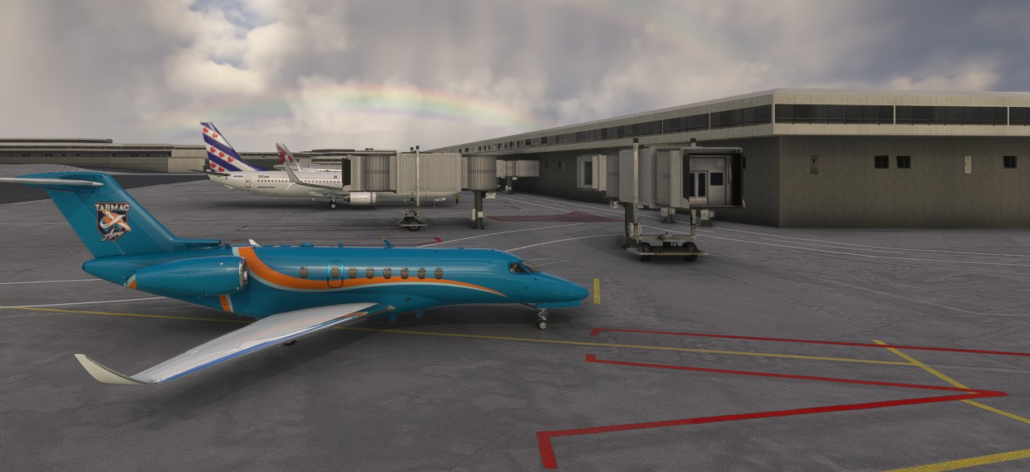
Picture incl. Rainbow by T. de Jong.
x
x
x
REX ATMOS – LEGACY & CORE
x
Dit is een uitgebreide visuele en atmosferische engine. Het past in realtime de belichting, horizon, ozonlagen, kleuren en de weergave van de lucht en wolken aan direct in de simulator. Het werkt samen met zowel de standaard live-weeromstandigheden als weersystemen van derden.
x
x
x
REX REAL GLOBAL
REX AIRPORT TEXTURES
x
Een grafische upgrade die de standaard vliegveldtexturen wereldwijd vervangt door hoge-resolutie PBR-texturen (Physical Based Rendering). Het verbetert het uiterlijk van landingsbanen (inclusief rubbersporen en scheuren), taxibanen, platformen en belijning op meer dan 37.000 vliegvelden zonder zware impact op de prestaties
x
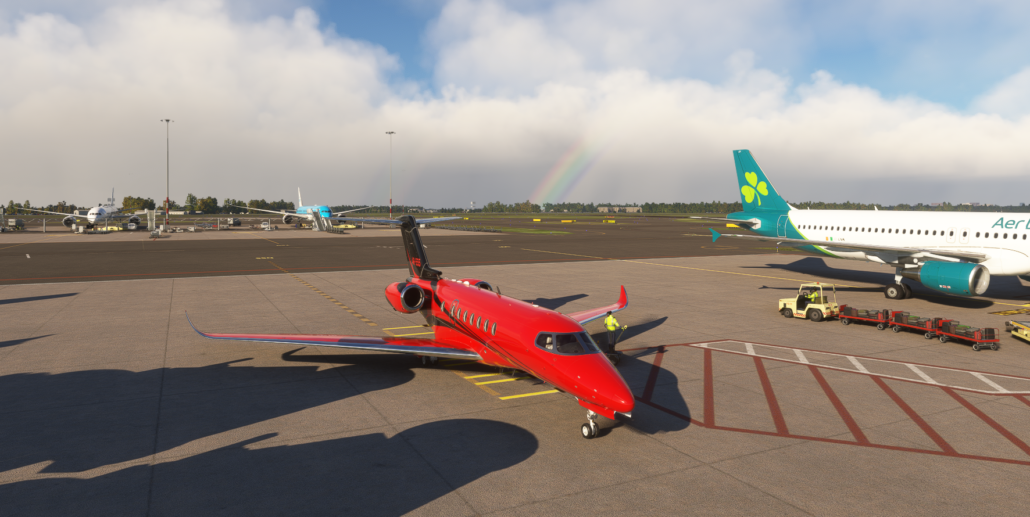
Picture incl. Double Rainbow by R. Hoep
x
x
x
REX WEATHER FORCE
x
Een geavanceerde, op METAR-gegevens gebaseerde weermotor. Dit product vervangt of verbetert het standaard live-weer van MSFS door realtime weergegevens (die 6 keer per uur worden bijgewerkt via NOAA) te injecteren. Het zorgt voor vloeiendere weersovergangen en realistischere weersituaties op basis van actuele metingen.
x
VGDS
x

x
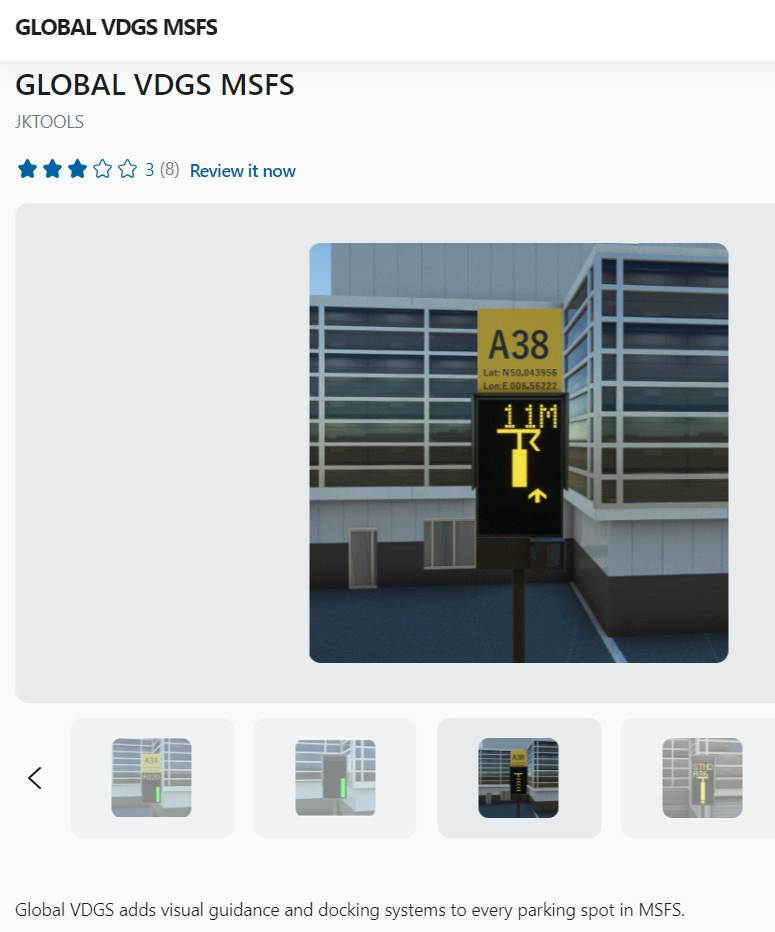
JKTools – Visual Guidance Docking Systems – VGDS
Dit is een zeer goed programma om MS2020 of 2024 wereldwijd te voorzien van het Visual Guidance Docking System.
Standaard heeft MS2020 / 2024 dit niet. Enkel bij gekochte Airport Sceneries wil dit nog wel eens voorkomen.
x
x
Via SIMMARKET kun je voor zowel MS2020 als voor MS2024 een Global Visual Guidance Docking System aanschaffen.
LET OP !!! — LET OP !!! — LET OP !!!
Voor het installeren van de – .msi file – dient uw VIRUSSCANNER UIT te staan. Zorg dat u uw VIRUSSCANNER direct na installatie weer aanzet.
Op uw Buroblad is een App geplaatst om de VGDS te starten.
x
x
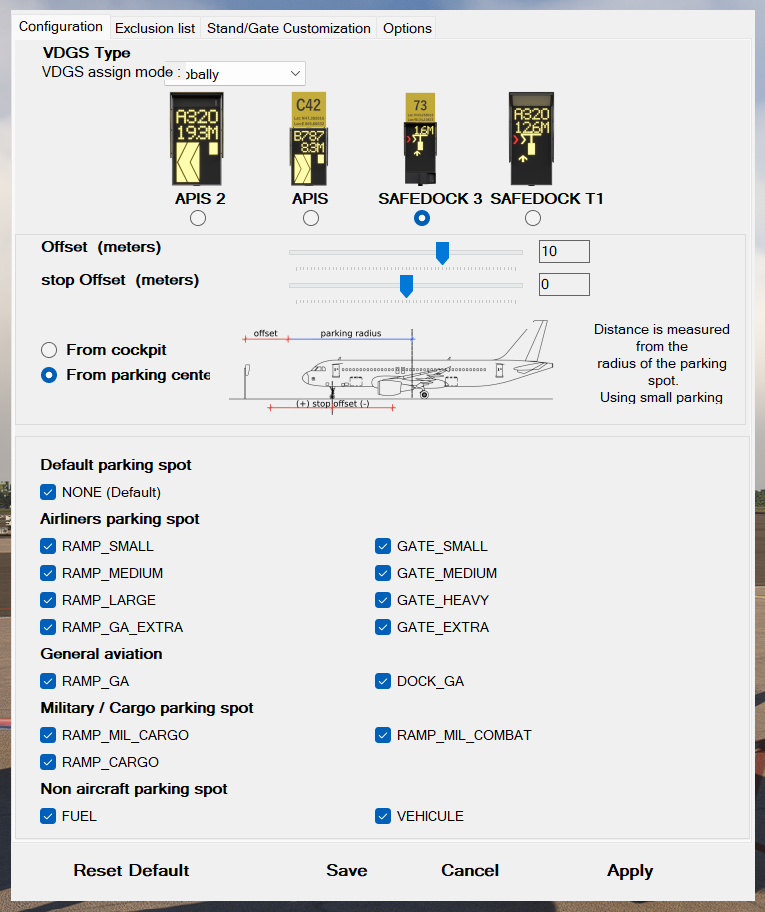
Na het opstarten verschijnt deze VGDS Configuratie. Deze kunt u geheel naar wens bewerken door de VINKJES te zetten of weg te halen. Vanuit uw MSFS kunt u steeds wijzigingen RELOADEN.
Denk er om dat de Scenery bepaald welk type de Parking place is en niet het uiterlijk van deze Parking Place.
Na configuratie deze vast leggen met APPLY en SAVE.
x
x
x
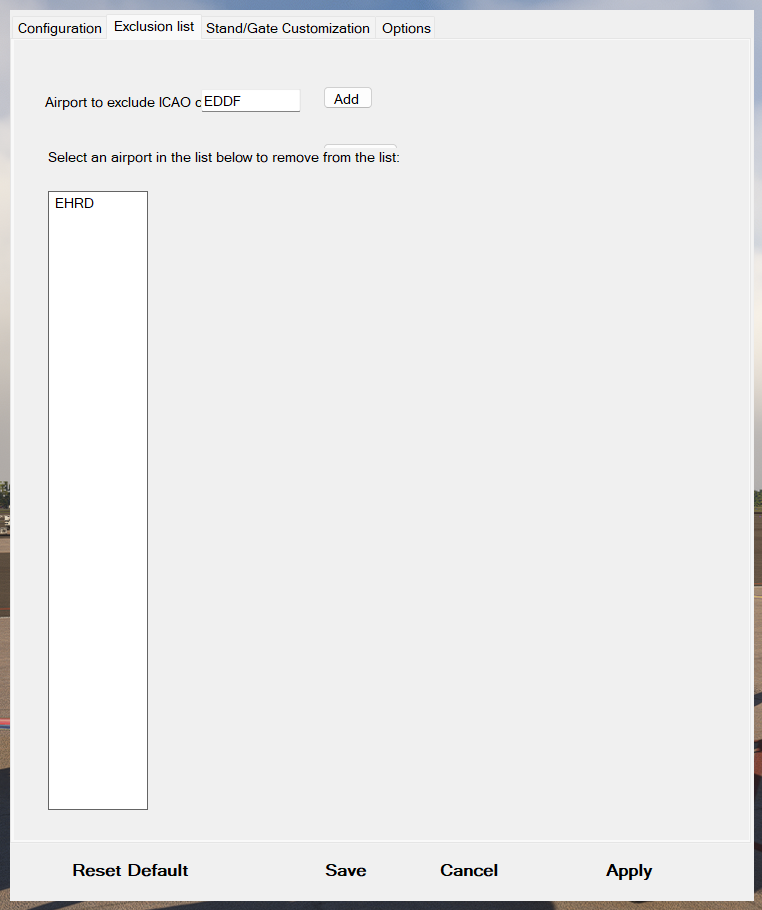
Het is ook mogelijk om vliegvelden uit te sluiten’ voor het gebruik van deze VGDS.
Activeer TABBLAD “Exclusion list” en vul de ICAO code van het vliegveld in en KLIK op de Add Button.
Opmerking :
Om een vliegveld weer uit de lijst te verwijderen, moet je de ICAO activeren in de Lijst en daarna op de knop drukken die bij mij verborgen is achter de tekst “from the list“.
Je ziet daar nog net een bovenrandje van de knop.
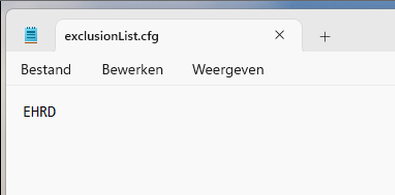
Lukt dat niet dan kunt u het volgende doen :
Om een vliegveld weer uit de list te verwijderen, moest ik naar de bestands locatie gaan en daar de “exclusionList.cfg”bewerken. [Denk om de gebruikers rechten aan de file te geven]
x
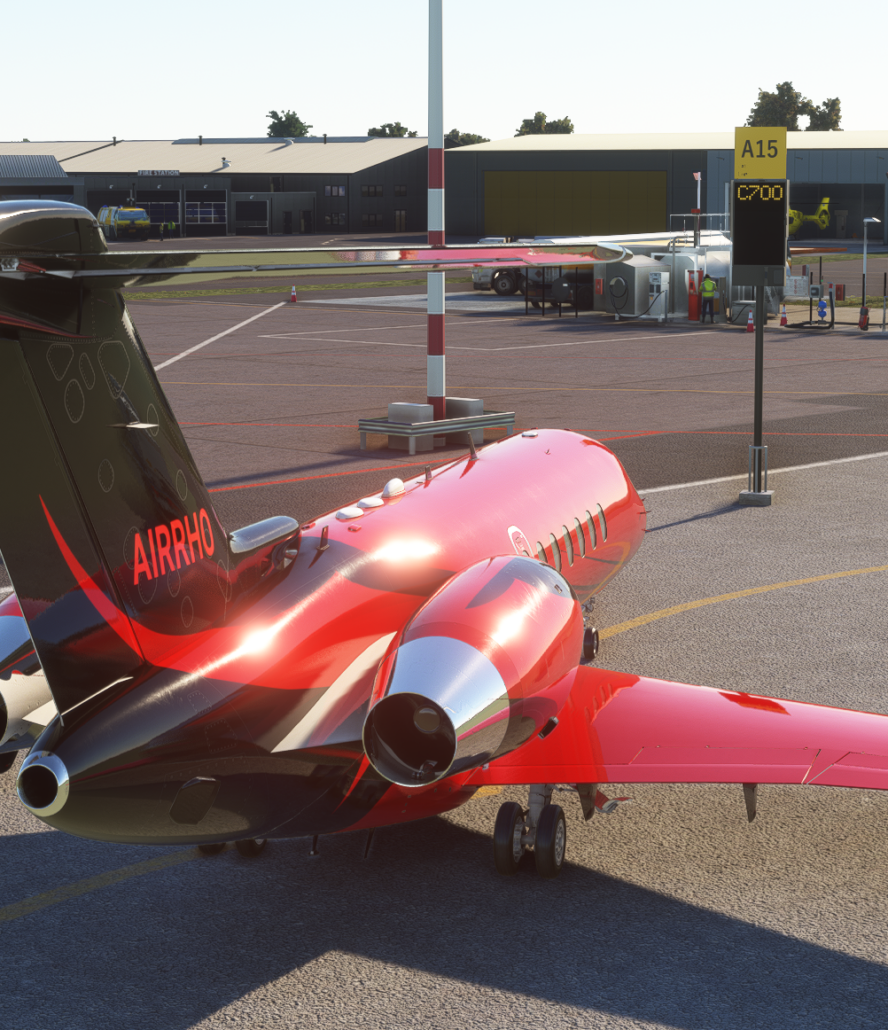
Na het opstarten van uw MS2020/24 SIM ziet u bij de door u gekozen Parking places een VGDS paal staan.
Bij mijn instelling toont de VGDS paal mijn type vlieguig [C700 = Cessna Citation Longitude] en het nummer van de Parking Place. [ Deze wordt uitgelezen uit de scenery file en is soms niet in overeenstemming met een Jeppp Chart.]
X
x
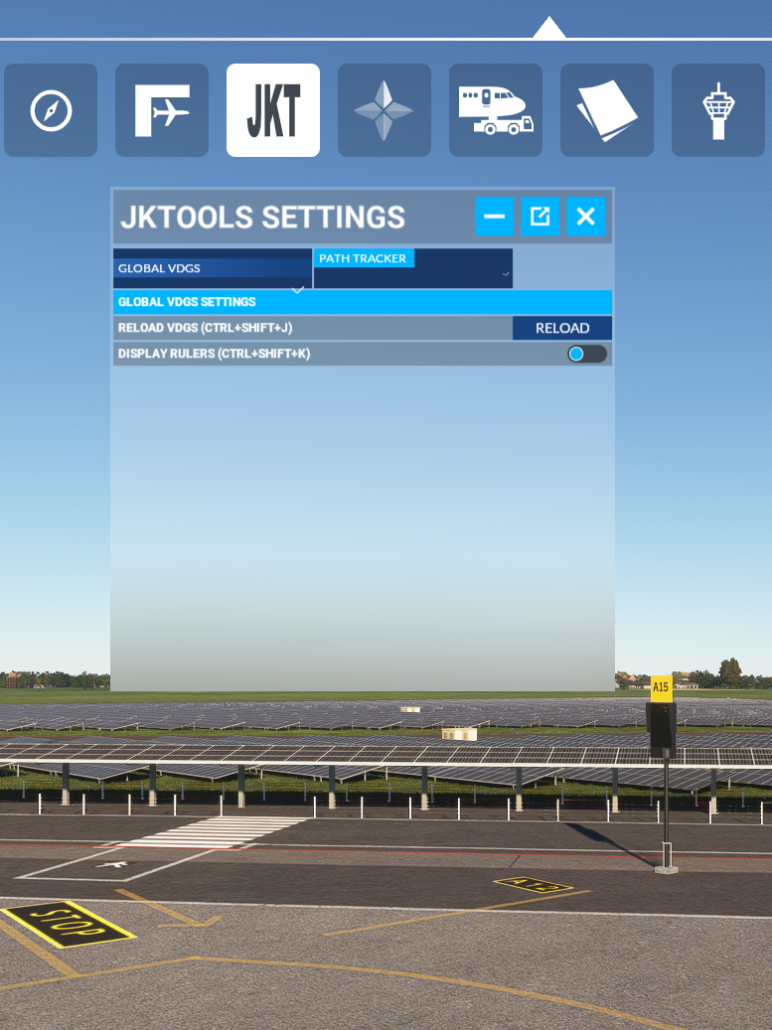
Boven in de Balk van uw MSFS ziet u nu een extra icoon van JKT.
Activeer deze u u kunt hier opnieuw wijzigingen in uw configuratie inlezen met de RELOAD Button.
U kunt dus, terwijl is SIM actief is, het VGDS Configuratie programma opstarten, wijzigen, en weer activeren zonder het direct te saven.
Na de klik op de RELOAD Button ziet u na enige tijd de wijziging.
BUTTONS & CONTROLS
x
Tutorials about Knobs and Sliders
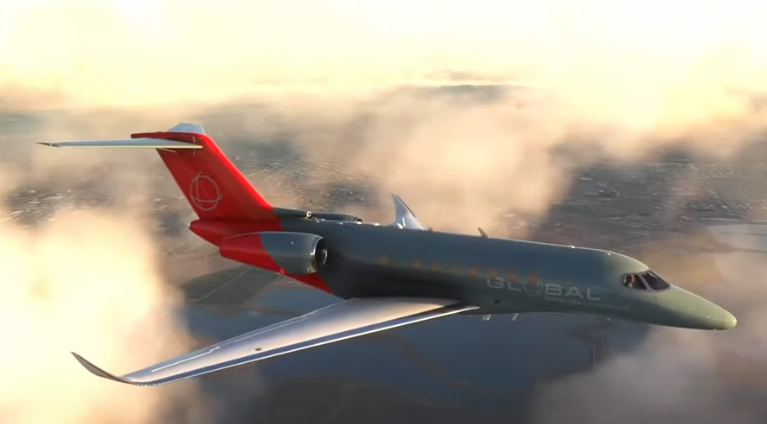
CCL – Cessna Citation Longitude
x
x
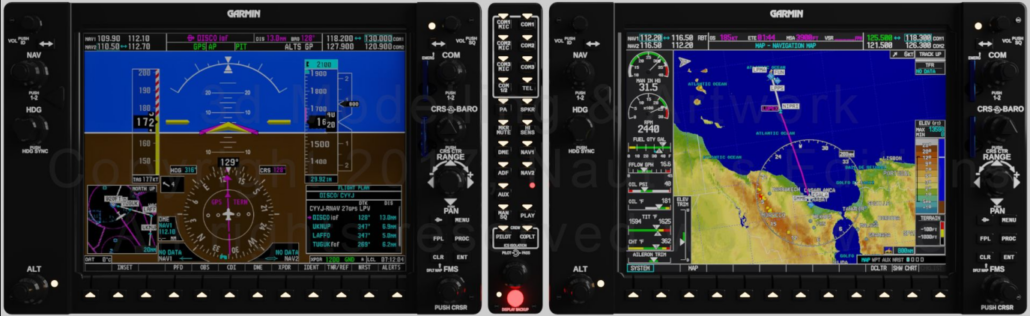
Garmin G1000
x
x
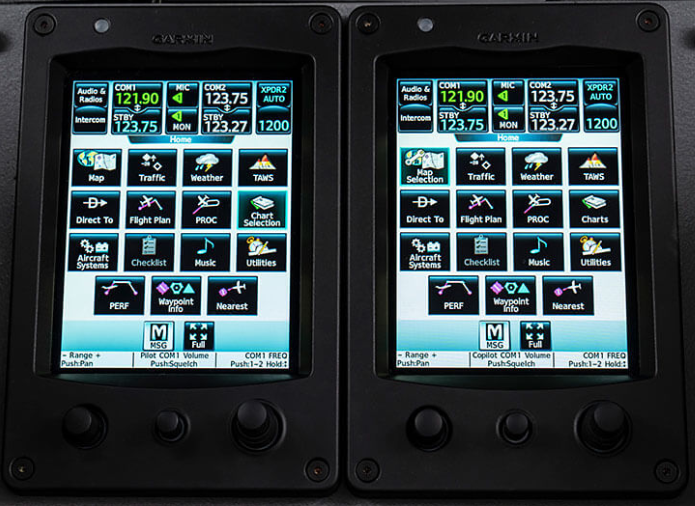
Garmin G5000
x
x